AI search is changing how customers discover businesses online. Instead of visiting Google, comparing ten websites, and making a decision, users increasingly ask ChatGPT, Gemini, and Perplexity for recommendations, product comparisons, service providers, and answers to specific questions.
For businesses, this creates a new question: Are AI platforms actually sending visitors to your website, and are those visitors becoming leads or customers?
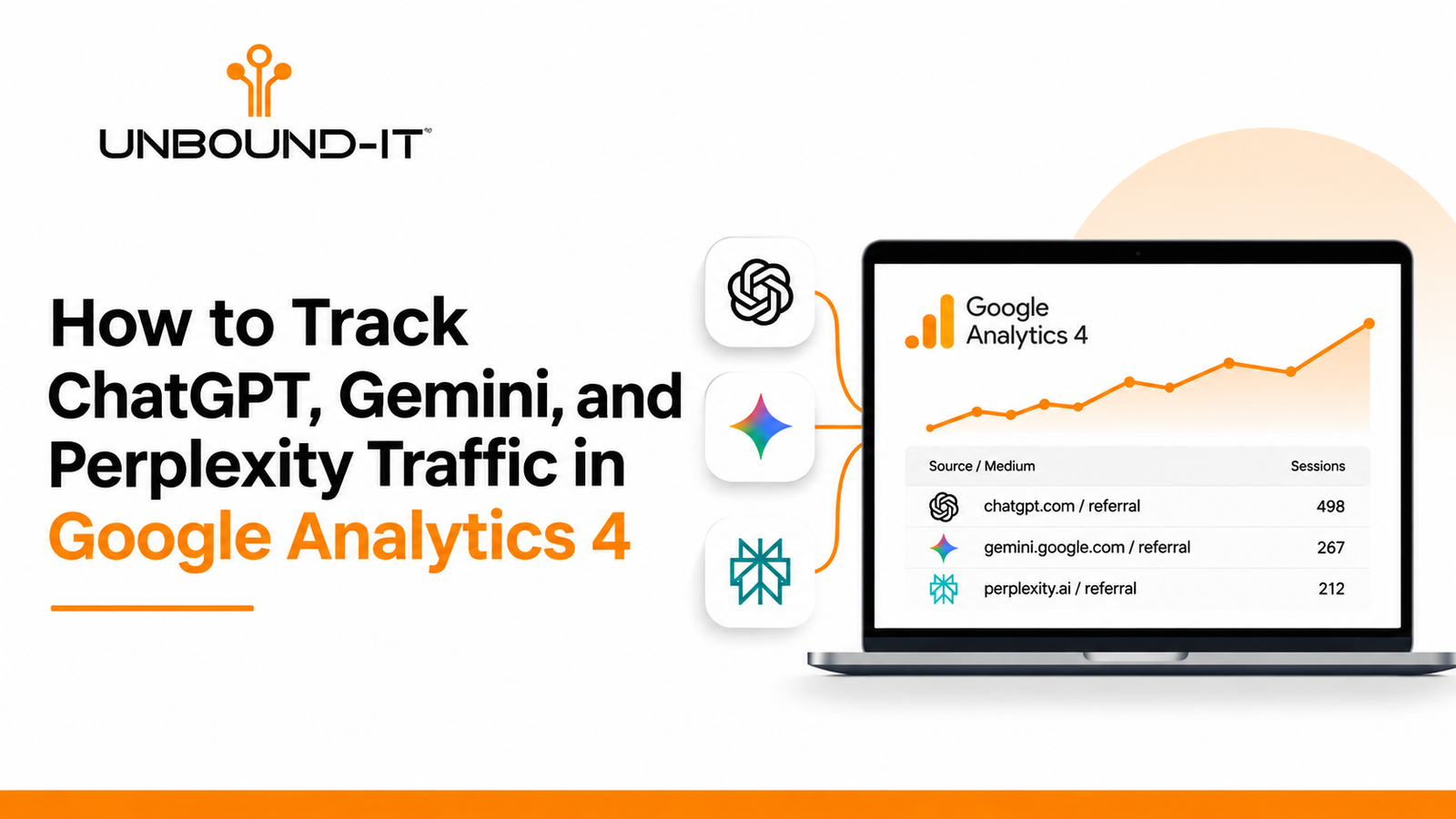
Google Analytics 4 (GA4) can help answer that question by identifying website sessions that arrive from recognizable AI platforms. You can use this information to understand which AI assistants send traffic, which pages attract those visitors, and whether they take meaningful actions after arriving.
However, tracking AI traffic requires more than looking at referral numbers. Some AI-influenced visits are recorded as direct or organic traffic, while others may not carry identifiable referral information.
This guide explains how to identify AI traffic in GA4, create a dedicated reporting segment, evaluate visitor quality, and use the findings to improve your AI SEO strategy.
1. What Counts as AI Search Traffic?
AI search traffic refers to website visits generated when someone clicks a link from an AI-powered platform or assistant.
For example:
A business owner asks ChatGPT to recommend website development companies and clicks a result linking to your website.
A customer uses Perplexity to compare software providers and visits your service page.
Someone asks Gemini for digital marketing agencies in the United States and follows a website citation.
A potential customer uses Microsoft Copilot to research a service and clicks through to a provider’s website.
These visits can appear in GA4 when the referring platform passes recognizable source information.
It is important to distinguish between two different types of AI visibility:
AI visibility: Your business or website appears in an AI-generated answer, whether or not someone clicks through.
AI referral traffic: A visitor clicks a link from an AI platform and reaches your website.
GA4 primarily measures the second activity. It does not provide a complete record of how often ChatGPT mentions your business, how many times Perplexity cites your content, or how many people see your brand without clicking.
This distinction matters when evaluating AI SEO performance. A website can receive AI citations without generating measurable referral sessions.
2. Which AI Platforms Should You Track in GA4?
Start with the AI platforms most likely to influence your customers’ research and purchasing decisions.
Here are the main referral sources worth monitoring:
| AI platform | Source domain to investigate | What to look for |
|---|---|---|
| ChatGPT | chatgpt.com | Visits from AI conversations and website citations |
| Perplexity | perplexity.ai | Visitors following cited sources |
| Google Gemini | gemini.google.com | Referral sessions from Gemini |
| Microsoft Copilot | copilot.microsoft.com | Visits from Copilot experiences |
| Claude | claude.ai | Visitors following links in Claude conversations |
| You.com | you.com | Visits from AI-powered search experiences |
These domains are starting points, not a guaranteed list of every possible referral value.
The exact source recorded in your GA4 property can vary depending on the platform, browser, app, redirects, and referral information passed with the visit.
An important distinction: Do not classify every visit from Google or Bing as AI traffic. Both platforms handle conventional search activity alongside AI-powered experiences. Without a recognizable source or additional attribution information, it is not possible to confidently separate the two.
3. How to Find AI Referral Traffic in Google Analytics 4
You do not need a separate analytics platform to start identifying recognizable AI referrals. GA4 already provides the acquisition dimensions needed for an initial analysis.
Follow these steps:
Step 1: Open the Traffic Acquisition Report
Log in to Google Analytics 4 and select the website property you want to investigate.
Navigate to:
Reports → Acquisition → Traffic acquisition
This report shows how visitors arrive at your website.
Step 2: Change the Primary Dimension
The default report may display Session default channel group.
Change the primary dimension to:
Session source / medium
This dimension helps identify the source associated with each website session.
Look for entries such as:
chatgpt.com / referral
perplexity.ai / referral
gemini.google.com / referral
copilot.microsoft.com / referral
claude.ai / referral
Your actual results may differ.
Step 3: Select a Date Range
Start with the previous 30 days.
For websites receiving limited AI referral traffic, extend the analysis to 90 days.
A longer reporting window helps prevent individual visits from creating misleading conclusions.
Step 4: Review the Traffic Metrics
Once you identify AI-related sources, examine:
Sessions
Engaged sessions
Engagement rate
Average engagement time per session
Key events
Total revenue, where applicable
Do not evaluate performance using sessions alone. A source sending 20 relevant visitors who generate three qualified inquiries may be more valuable than a source sending 200 visitors who leave without taking action.
4. Create a Dedicated AI Traffic Comparison in GA4
Checking individual referral sources every month is inefficient. A saved comparison makes it easier to monitor AI traffic alongside your other acquisition channels.
Here is how to create one.
Open Reports → Acquisition → Traffic acquisition.
Select Add comparison.
Choose the dimension Session source.
Set the match type to Matches regex.
Enter the following expression:
chatgpt\.com|openai\.com|perplexity\.ai|gemini\.google\.com|copilot\.microsoft\.com|claude\.ai|you\.com
Apply the comparison.
Review the matching sessions and engagement metrics.
This is a starting expression. Validate the matching source rows in your own property before using it for reporting. You can add or remove domains as your referral data changes.
If you want to analyze only sessions classified as referrals, use Session medium as an additional condition where appropriate.
Why use a comparison instead of checking individual sources?
It allows you to view the selected AI traffic against the rest of your website traffic without repeatedly rebuilding the same filters.
You can also save a separate comparison for each major platform if you want to evaluate ChatGPT, Perplexity, and Gemini independently.
5. Build a GA4 Exploration to Identify Which Pages AI Platforms Recommend
Knowing that ChatGPT sent 50 visitors to your website is useful. Knowing which pages those visitors landed on is much more actionable.
For this, use GA4 Explorations.
Navigate to:
Explore → Free form
Create a new exploration and import the following dimensions:
Session source / medium
Landing page + query string
Page path
Device category
Country
Session default channel group
Next, import these metrics:
Sessions
Engaged sessions
Engagement rate
Average engagement time per session
Key events
Total revenue, if applicable
Configure the exploration as follows:
Rows:
Session source / medium
Landing page + query string
Values:
Sessions
Engaged sessions
Engagement rate
Key events
Total revenue
Filter:
Set Session source or Session source / medium to match your AI referral regex.
This creates a breakdown of AI referral sources and the landing pages associated with them.
What Should You Look for in the Results?
Consider a website offering IT consulting, mobile application development, and custom website development.
Its AI referral report might reveal that:
ChatGPT visitors frequently land on the mobile app development service page.
Perplexity visitors enter through technical comparison articles.
Gemini visitors arrive through educational content about website development.
Claude visitors visit detailed service explanations or technical documentation.
These patterns can help determine which topics and landing pages deserve further attention.
They can also reveal a content gap. If visitors repeatedly arrive on an informational article but do not explore the relevant service, the article may need clearer explanations, supporting evidence, internal links, or a more relevant next step.
6. Measure AI Traffic by Leads and Conversions, Not Just Visits
For most businesses, website traffic is not the final objective. The objective is to generate inquiries, consultations, purchases, or other meaningful business actions.
This is where conversion tracking becomes important.
For a service-based business, consider tracking these events:
| Website action | Suggested GA4 event |
|---|---|
| Contact form submission | generate_lead |
| Consultation request | generate_lead |
| Phone number click | phone_click |
| Email link click | email_click |
| Pricing page visit | pricing_page_view |
| Appointment booking | appointment_booked |
The event names should reflect your actual tracking implementation. Configure important business outcomes as key events in GA4.
For an IT company, a useful reporting path could look like this:
AI referral → Service page → Contact page → Form submission → Qualified lead
This gives you a more meaningful view of performance than simply reporting how many sessions came from ChatGPT.
Example: Evaluating AI Referral Quality
Consider the following hypothetical monthly report:
| Metric | ChatGPT | Perplexity |
|---|---|---|
| Sessions | 120 | 85 |
| Engaged sessions | 78 | 64 |
| Engagement rate | 65% | 75.3% |
| Lead submissions | 5 | 6 |
| Lead rate | 4.2% | 7.1% |
In this example, ChatGPT sends more visitors, but Perplexity generates a higher lead rate.
The practical takeaway is not that one platform is always better. It is that traffic volume and business value are different measurements.
Use this analysis to identify which sources deserve further investigation and which landing pages contribute to actual inquiries.
Note: These figures are illustrative, not industry benchmarks.
7. Why Some AI Traffic Appears as Direct or Organic Traffic
One of the biggest challenges with AI traffic measurement is incomplete attribution.
A visitor might discover your website through ChatGPT but arrive without a recognizable referral source.
GA4 may then classify the session as:
Direct traffic: The visit arrives without usable referral or campaign information.
Organic Search: The visit comes through a search engine rather than a directly identifiable AI referral.
Unassigned: GA4 cannot place the session into a standard channel group based on the available information.
There are several reasons this happens:
An application or browser removes referral information.
A redirect interrupts the original referral path.
Privacy settings limit the information shared.
The visitor copies a URL from an AI conversation and pastes it into another browser.
An AI platform opens the website through an intermediate browsing experience.
This means your GA4 AI referral report should be treated as a record of identifiable AI referrals, not a complete measurement of AI-influenced visits.
Do not automatically relabel direct traffic as AI traffic. That would introduce assumptions into your reporting.
8. Use UTM Parameters for AI Tools Your Business Controls
Public AI platforms generally control the links they generate. You cannot add tracking parameters to every external recommendation made by ChatGPT, Gemini, or Perplexity.
However, businesses that operate their own AI assistants, custom GPTs, or AI-powered customer support tools can control their outgoing links.
For example:
https://example.com/services?utm_source=custom_gpt&utm_medium=ai_assistant&utm_campaign=service_recommendations
Here is what each parameter represents:
utm_source: Identifies the traffic origin, such as custom_gpt.
utm_medium: Identifies the channel, such as ai_assistant.
utm_campaign: Identifies the specific initiative or campaign.
Use consistent naming conventions across your campaigns.
For example, avoid using custom-gpt, CustomGPT, and custom_gpt interchangeably. Inconsistent naming creates unnecessary reporting variations.
UTM tracking is particularly useful when an AI assistant directs users toward a consultation form, product page, or service landing page.
9. How AI Traffic Data Can Improve Your AI SEO Strategy
Tracking AI referrals is not just an analytics exercise. The information can help you identify opportunities to improve your website content and search visibility.
Here are five practical ways to use the data.
1. Improve Pages That Already Attract AI Visitors
Identify landing pages that repeatedly receive AI referrals.
Review whether they contain:
Clear answers to customer questions.
Accurate service and product information.
Specific technical details.
Supporting examples and evidence.
Relevant internal links.
Clear contact or conversion options.
Do not rewrite a page simply because it receives fewer visits. First identify whether its topic and search intent are relevant to your business.
2. Identify Missing Information in Your Service Pages
Suppose AI referrals consistently land on your web development page, but visitors leave without exploring your services.
Review whether the page answers practical buying questions:
What types of websites does your company develop?
Which technologies and platforms do you support?
What is included in your development process?
How do you handle maintenance and ongoing support?
What information does a business need before requesting a quote?
Service pages should answer the questions customers ask before choosing a provider.
3. Publish Content Around Real Customer Questions
AI search often involves conversational queries rather than short keyword searches.
For example, a potential customer might ask:
“Should I choose a custom-built website or a WordPress website for my business?”
A useful article should compare the options based on:
Development costs.
Customization requirements.
Maintenance responsibilities.
Website performance.
Scalability.
Security considerations.
Avoid creating several articles that repeat the same information with slightly different keywords.
A smaller collection of detailed, genuinely useful resources is more valuable than a large collection of overlapping pages.
4. Strengthen Entity and Brand Information
AI platforms need reliable information to understand what a business does and how its services relate to particular industries and customer needs.
Make sure your website consistently communicates:
Your company’s name and business details.
Your primary services.
The industries you serve.
Your service locations.
Your technical expertise.
Your contact information.
Relevant project experience and customer evidence.
Use consistent organization details across your website and legitimate business profiles.
Structured data such as Organization, Service, BreadcrumbList, and Article can help search engines interpret website information. However, adding schema markup does not guarantee inclusion in AI-generated answers.
5. Connect AI Visibility With Actual Business Outcomes
AI SEO should not be evaluated using visibility reports alone.
Combine your GA4 data with:
Google Search Console for traditional search performance.
Bing Webmaster Tools for Bing search performance.
GA4 for identifiable referral sessions and website engagement.
CRM records for lead qualification and sales outcomes.
AI visibility monitoring for brand mentions and citations across supported platforms.
These tools measure different parts of the customer journey. They should complement one another rather than be treated as interchangeable sources of data.
10. Create a Monthly AI Traffic Reporting Process
A consistent reporting schedule helps distinguish genuine growth from temporary changes.
Use the following monthly checklist:
| Reporting task | What to check |
|---|---|
| AI referral sources | New and existing assistant domains |
| Traffic volume | Sessions by AI platform |
| Landing pages | Pages receiving AI referrals |
| Engagement | Engaged sessions and engagement rate |
| Lead generation | Form submissions and other key events |
| Revenue | Purchases or attributed revenue, where applicable |
| Attribution | Direct and unassigned traffic patterns |
| Content opportunities | Pages requiring better answers or supporting information |
| Tracking accuracy | New domains, regex changes, and event configuration |
Compare results against the previous month and, where enough data exists, the same period in the previous year.
Keep a record of changes to tracking rules, website URLs, conversion events, and reporting configurations. Otherwise, a change in analytics setup could be mistaken for a change in marketing performance.
For businesses that need stakeholder-friendly reporting, Looker Studio can turn GA4 data into a recurring dashboard. BigQuery can provide more flexibility for deeper historical analysis and custom reporting.
Final Thoughts
AI platforms are becoming another part of the customer discovery process, but measuring their contribution requires a clear understanding of attribution.
Google Analytics 4 can identify recognizable referrals from ChatGPT, Perplexity, Gemini, Claude, and other AI assistants. You can use comparisons and Explorations to understand which platforms send visitors, which pages they access, and whether those visits contribute to business goals.
The important part is not simply increasing AI referral sessions. It is understanding whether your business appears in relevant AI experiences, whether people visit your website, and whether your content helps them make an informed decision.
At UNBOUND-IT, we believe businesses need more than website traffic to build a successful digital presence. A well-planned approach to SEO, AI search visibility, website development, and conversion tracking helps connect online discovery with measurable business outcomes.
Want to understand how your website performs across Google and AI-powered search platforms?
UNBOUND-IT helps businesses improve their digital presence through website development, digital marketing, SEO, and technology solutions.
Request a consultation with UNBOUND-IT to discuss your website’s search visibility and growth opportunities.
Website: https://unbound-it.com/
Phone: 210-973-4901
Email: info@unbound-it.com
Frequently Asked Questions
1. Can Google Analytics 4 track traffic from ChatGPT?
Yes. GA4 can identify visits from ChatGPT when the platform passes a recognizable referral source. Look for chatgpt.com in the Session source or Session source / medium dimension.
2. How do I find Perplexity traffic in GA4?
Open Reports, select Acquisition, and then Traffic acquisition. Change the primary dimension to Session source / medium and look for perplexity.ai.
3. Why does ChatGPT traffic appear as direct traffic?
Some AI-assisted visits reach your website without recognizable referral information. GA4 may classify these sessions as Direct or place them in another channel depending on the available attribution data.
4. Can GA4 show how often ChatGPT mentions my business?
No. GA4 measures activity on your website, not brand mentions or citations inside ChatGPT responses. You need separate AI visibility monitoring to investigate those signals.
5. What is the difference between AI traffic and AI visibility?
AI visibility measures how frequently and where your business appears in AI-generated answers. AI traffic measures visitors who click through from AI platforms to your website.
6. Should businesses track ChatGPT, Gemini, and Perplexity separately?
Yes. Separate reporting helps identify differences in referral volume, landing pages, visitor engagement, and conversions. Combining every platform into one number can hide useful performance differences.
7. Does appearing in AI search results guarantee website traffic?
No. A business can be mentioned or cited in an AI-generated response without receiving a website visit. Visibility and referral traffic should be measured separately.