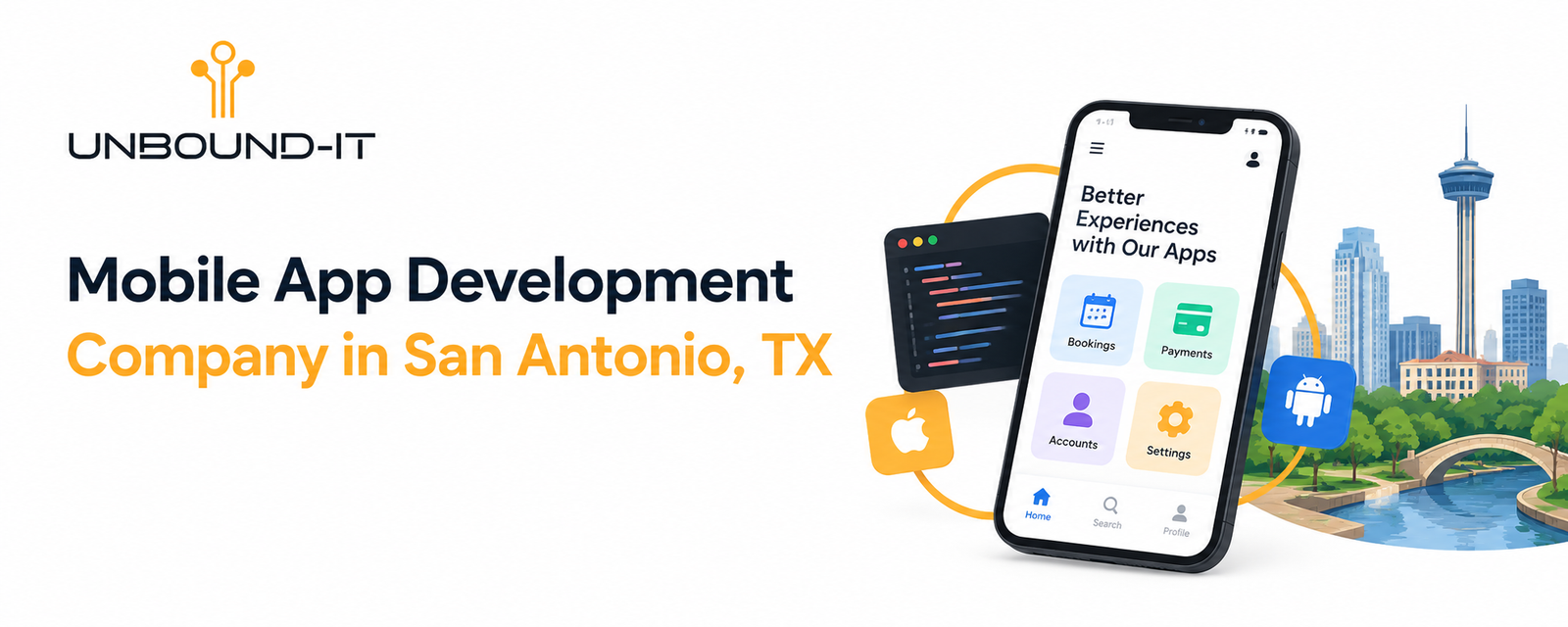
Businesses need digital tools that make their services easier to access, improve internal processes, and support customer relationships. A well-planned mobile application can help achieve these goals by bringing important features into one convenient platform.
For businesses in San Antonio, choosing the right mobile app development company starts with understanding what the application needs to do. Some businesses need a simple application for customer bookings, while others require a platform that connects payments, customer accounts, databases, and existing business software.
At Unbound-IT, we help businesses explore technology solutions that align with their operational requirements and growth plans. Our approach to mobile app development focuses on understanding the project, defining essential features, planning the user experience, and developing an application around practical business needs.
Whether you are starting a new digital product or improving an existing application, the first step is to establish what you want the technology to accomplish.
Why Businesses Need Mobile Applications
A mobile application should serve a clear purpose. It may help customers access services, allow employees to manage daily tasks, or provide a more convenient way to purchase products.
Before investing in development, businesses should identify the problems they want to solve and determine how an application can address them.
Common business objectives include:
Making products and services easier to access.
Simplifying appointment scheduling and customer requests.
Providing customers with account information and order updates.
Connecting existing business systems.
Organizing internal workflows and employee activities.
Supporting online transactions and repeat purchases.
The value of an application depends on how effectively it addresses these requirements. A smaller application with useful features can be more practical than a complicated product that customers find difficult to navigate.
Custom Mobile App Development for Business Requirements
Every business has different workflows, customers, and technical requirements. Custom mobile app development allows these requirements to guide the application’s functionality instead of forcing the business to work around a generic solution.
The process begins with identifying the intended users, the main tasks they need to complete, and the systems the application must connect with.
Applications Built Around Your Business
A business application might allow customers to book appointments, manage their accounts, submit service requests, or access important information. An internal application might help employees update records, track work, or communicate with other departments.
The appropriate features depend on the intended use of the application.
Before development begins, it is useful to document the essential user journeys. This helps the development team understand how each feature should work and how the different parts of the application connect.
Integration With Existing Systems
Many businesses already use software to manage customer relationships, payments, inventory, bookings, or other operations.
An application may need to exchange information with these systems through APIs or other supported integration methods. This requires planning for data access, authentication, synchronization, and error handling.
Reviewing integration requirements early helps identify technical dependencies before they affect the development schedule.
Planning for Future Changes
Business requirements change over time. New services, additional users, and updated workflows may require changes to the application.
A maintainable technical structure makes it easier to introduce new functionality without unnecessarily rebuilding existing components.
The initial development plan should therefore consider not only the first release but also the changes the business may need in the future.
Mobile Application Development Services
Mobile application development services can cover several stages, from defining the initial requirements to developing, testing, releasing, and maintaining the application.
The exact scope depends on the project and the technologies required.
UI/UX Design and Application Planning
The design process determines how users navigate the application and complete important tasks.
Clear navigation, consistent layouts, readable text, and straightforward forms help people understand how to use an application. The design should also account for different screen sizes and accessibility requirements.
Wireframes and prototypes can help businesses review the proposed experience before development begins. This provides an opportunity to identify missing features or confusing workflows while changes are still easier to make.
Frontend and Backend Development
Frontend development covers the screens and interactions users see. Backend development supports functions such as data storage, authentication, business logic, and communication with external systems.
Some applications require only a limited backend, while others depend on complex databases, multiple user roles, and integrations with existing software.
The architecture should reflect the actual requirements rather than introducing unnecessary complexity.
Testing and Deployment
Before an application is released, its main functions need to be tested against the agreed requirements.
Testing can cover navigation, account access, transactions, integrations, compatibility, performance, and error handling. The testing approach should reflect the devices, operating systems, and usage conditions relevant to the intended audience.
For applications distributed through app stores, the release process must also account for the relevant submission requirements.
Ongoing Maintenance
Development does not end when an application is launched. Software dependencies change, operating systems receive updates, and users may identify problems that were not apparent during initial testing.
Maintenance can include bug fixes, compatibility updates, security improvements, performance adjustments, and additional features.
Planning for these responsibilities helps businesses understand the full lifecycle of an application.
React Native App Development
React Native app development is an option for businesses that want to build applications for multiple mobile platforms using a shared codebase for much of the application.
This approach can reduce duplicated development work and help teams maintain consistent functionality across supported platforms.
React Native may be suitable for customer-facing applications, business tools, ecommerce experiences, and other products where its capabilities match the project requirements.
However, the framework should be selected after evaluating the application’s functionality, integrations, performance expectations, and platform-specific requirements.
Before choosing React Native, businesses should consider:
Which devices and operating systems the application must support.
Whether the project requires native device capabilities.
How the application will connect with backend services.
Which components can be shared across platforms.
How testing, maintenance, and future updates will be managed.
The objective is to select a development approach that fits the product rather than choosing a framework based on popularity alone.
Flutter App Development
Flutter app development provides another option for creating applications across multiple platforms from a shared codebase.
Flutter can be useful for projects that require a consistent interface across supported devices. Its widget-based approach gives developers control over layouts and interactive elements.
Businesses may consider Flutter when developing customer portals, service applications, ecommerce products, or internal business tools.
The suitability of Flutter depends on the required functionality, integration needs, team expertise, and long-term maintenance plans.
When comparing Flutter with React Native, businesses should evaluate the requirements of their specific application rather than assuming one technology is always better than the other.
Native App Development
Native app development involves building an application specifically for an operating system using its supported technologies and development tools.
This approach can be appropriate when an application depends on platform-specific features, specialized device capabilities, or requirements that call for a native implementation.
For example, a project with extensive device integration may benefit from evaluating a native approach before selecting a cross-platform framework.
Native development also requires careful consideration of how the application will be maintained across platforms if both iOS and Android versions are needed.
The decision should account for functionality, performance, development effort, testing, and ongoing support.
Ecommerce Mobile App Development
Ecommerce mobile app development helps businesses create a convenient way for customers to discover products, place orders, and manage purchases through mobile devices.
An ecommerce application should make the shopping journey straightforward, from browsing products to completing checkout.
Essential Ecommerce Features
Depending on the business model, an application may include:
Product listings, categories, and search.
Product images, descriptions, and pricing.
Shopping carts and checkout.
Payment gateway integration.
Customer accounts and order history.
Order status and delivery updates.
Customer support and notifications.
Not every business needs all these features in its first release. The feature set should reflect the products being sold, the purchasing process, and customer expectations.
Connecting the Shopping Experience
An ecommerce application may need to connect with inventory management, payment services, order processing, and existing business software.
These integrations should be planned carefully so that information remains consistent across the systems involved.
Testing should cover the complete purchasing process, including failed payments, unavailable products, incomplete orders, and other situations that may affect the customer experience.
A reliable checkout process and clear order information are essential considerations when planning the application.
Custom Business Application Development
Custom business application development focuses on software designed around an organization’s internal processes or specific operational requirements.
Unlike a customer-facing application, a business application may primarily serve employees, managers, partners, or other authorized users.
Examples include applications for managing field operations, tracking service requests, organizing schedules, accessing business records, and coordinating tasks.
Identifying the Right Requirements
The first step is to understand the existing workflow.
Which tasks take the most time? Where do employees duplicate information? Which systems do teams need to access? What information should different users be allowed to see?
Answering these questions helps define the application’s purpose and prevents development from becoming a collection of disconnected features.
Access Control and Data Management
Business applications may contain operational records, customer information, or other data that should only be accessible to authorized users.
Depending on the project, the application may require user roles, permissions, secure authentication, and appropriate data protection measures.
The technical design should account for these requirements from the beginning.
Improving Existing Workflows
A custom application should fit the way the business operates while addressing the problems identified during planning.
The development team should review how users will enter information, complete tasks, retrieve records, and handle errors. This helps ensure that the application supports the workflow rather than adding unnecessary steps.
Understanding the Mobile App Development Process
A structured mobile app development process helps turn an initial idea into a defined technical project.
At Unbound-IT, the development approach can be organized into four practical stages.
Step 1: Discovery and Planning
The first stage focuses on understanding the business objective, target users, essential features, and technical requirements.
This includes identifying required integrations, selecting the intended platforms, defining the project scope, and establishing priorities.
The outcome should be a clear plan describing what the first release needs to accomplish.
Step 2: UI/UX Design
The next stage translates the requirements into user flows, wireframes, and interface designs.
The design should make important tasks easy to understand and complete. Reviewing prototypes with relevant stakeholders can help identify usability issues before development begins.
Step 3: Development and Integration
During development, the approved requirements are translated into working application features.
This may involve interface development, backend services, database implementation, authentication, and third-party integrations.
Regular reviews help keep the work aligned with the agreed scope and allow issues to be identified as the application takes shape.
Step 4: Testing, Release, and Maintenance
The final stage includes testing the application’s functionality, compatibility, integrations, and performance.
After the agreed release criteria are met, the application can proceed to deployment. The team can then address issues, maintain compatibility, and evaluate improvements based on business needs and user feedback.
The timeline and activities for each stage depend on the project’s complexity and scope.
How to Choose a Mobile App Development Company
Choosing a development partner requires more than comparing proposals. Businesses should understand how the team approaches planning, implementation, quality assurance, and ongoing maintenance.
Consider the following factors before making a decision.
Understand the Development Approach
Ask how the team will gather requirements, define the scope, review designs, and manage changes during the project.
A clear process helps establish expectations and makes it easier to evaluate progress.
Review Technology Recommendations
The development team should explain why its proposed technologies suit your application.
Ask about the advantages and limitations of the recommended approach, particularly if the application needs to support multiple platforms or integrate with existing software.
Clarify Testing and Quality Assurance
Find out how the team will test the application’s functionality, security, compatibility, and performance.
Testing should cover the important user journeys and realistic error conditions rather than focusing only on whether the application opens successfully.
Discuss Ownership and Maintenance
Before the project begins, clarify source code ownership, documentation, access to relevant accounts, third-party service costs, and post-launch responsibilities.
These details help you understand what your business will receive and how the application can be maintained after delivery.
Mobile App Development for Small Businesses
Mobile app development for small businesses should begin with a specific business need rather than a long list of possible features.
A small business may benefit from an application that simplifies bookings, supports repeat purchases, provides customer account access, or organizes internal tasks.
Starting with a focused set of features can make the project easier to scope and evaluate.
Start With the Essential Features
Identify the main task the application must perform and prioritize the features required to support it.
Additional functionality can be considered once the initial requirements are clear and the business understands what customers or employees need.
Set a Realistic Budget
The budget should account for design, development, integrations, testing, deployment, and ongoing maintenance.
A clear scope helps the development team estimate the work more accurately and explain which requirements have the greatest impact on cost.
Plan for Growth
Even a small initial application should be designed with reasonable expectations for future changes.
This does not mean building every possible feature at launch. It means choosing a maintainable approach that allows the application to evolve as business requirements change.
How Much Does Mobile App Development Cost?
Mobile app development costs vary according to the scope and technical requirements of the project.
A basic application with a limited set of features generally requires a different level of effort from an application with complex business logic, multiple integrations, and several types of users.
The main cost factors include:
Number and complexity of features.
Design and prototyping requirements.
Choice of native or cross-platform development.
Backend services and database requirements.
Third-party integrations.
Testing and release requirements.
Ongoing maintenance and updates.
The most useful starting point is a defined list of requirements. Once the essential functionality is understood, a development team can assess the work involved and prepare a project-specific estimate.
Mobile App Maintenance and Support
Mobile app maintenance and support help keep an application working as its technical environment and business requirements change.
Maintenance requirements vary depending on the application’s architecture, integrations, user base, and purpose.
Typical activities may include correcting software defects, updating dependencies, addressing compatibility issues, reviewing application performance, and introducing approved improvements.
Businesses should also determine how support requests will be handled, how issues will be prioritized, and who is responsible for maintaining external services.
Discussing these responsibilities before launch helps establish a practical plan for the application’s continued operation.
Frequently Asked Questions
What should I look for in a mobile app development company?
Look for a team that understands your business requirements, explains its technical recommendations, defines project deliverables, follows a clear testing process, and discusses maintenance and ownership before development begins.
Is custom mobile app development suitable for a small business?
Yes. A small business can develop an application around a specific need, such as appointment scheduling, customer account access, or ecommerce. Prioritizing essential features helps keep the scope aligned with business objectives.
Should I choose React Native app development or Flutter app development?
Both approaches can support cross-platform projects. The appropriate choice depends on your application’s functionality, required integrations, performance expectations, team expertise, and maintenance needs.
When is native app development a better option?
Native app development is worth evaluating when a project depends on platform-specific functionality, specialized device capabilities, or technical requirements that are better served by a platform-specific implementation.
What affects the cost of ecommerce mobile app development?
The cost depends on the number of features, product catalog requirements, checkout functionality, payment integrations, order management, backend systems, testing, and maintenance.
What is included in mobile application development services?
Depending on the project scope, services may include requirements planning, UI/UX design, frontend and backend development, integration, testing, deployment, and ongoing maintenance.
Why is mobile app maintenance important?
Maintenance helps address software defects, operating system changes, compatibility problems, security concerns, and evolving business requirements after an application is released.
Discuss Your Mobile App Project With Unbound-IT
A successful mobile application starts with a clear business objective and a realistic plan for turning that objective into working software.
Whether you are considering custom mobile app development, ecommerce mobile app development, or a business application for internal operations, defining your requirements early helps you make informed decisions about features, technology, and budget.
Unbound-IT provides technology services including mobile app development, website development and design, cloud solutions, cybersecurity, digital marketing and SEO, and IT recruitment.
Contact our team to discuss your application requirements and identify the next steps for your project.
Phone: 210-973-4901
Email: info@unbound-it.com
Website: https://unbound-it.com/
Unbound-IT: Technology solutions aligned with your business needs.